Best Smart Camera Picks for Home and Security
Smart cameras help you watch your home, record events, and get alerts on your phone. They come in many forms — indoor, outdoor, battery-powered, wired, and with features like two-way talk, motion zones, and cloud or local storage. I’ll look at how different types fit different needs, from baby monitoring to keeping packages safe on the porch.
When choosing a smart camera, focus on video quality, night vision, power and wiring, storage options, and privacy controls; these factors determine how well a camera performs and how easy it is to use. The most important thing is picking a camera with reliable motion detection and storage that matches how you want to review footage. I tested and compared models across those points to find the best options and will walk you through my picks and buying advice.
Best Smart Cameras
I tested many smart cameras to find models that balance video quality, easy setup, and useful features. Below is my list of the best smart cameras to help you choose the right one for your home or office.
Blink Outdoor 4

I recommend this if you want a simple, long‑battery outdoor camera with clear 1080p video and two‑way talk.
Pros
- Long battery life that actually lasts months with normal use.
- Clear daytime and good night video for the price.
- Easy, fast setup and simple app controls.
Cons
- Person alerts require a subscription to work well.
- Occasional Wi‑Fi connection hiccups in weak signal areas.
- Batteries are non‑rechargeable AA cells, so replacements add cost.
I set this up on my back porch and liked how fast the app walked me through mounting and pairing. Live view was sharp and the two‑way audio worked when I tested it speaking to a delivery driver.
Night footage showed headlights and movement clearly enough to see faces at close range. Motion alerts came quickly, though the camera flagged more motion than just people unless I paid for the optional person detection.
Battery life impressed me — I didn’t worry about charging for months — but remember the camera uses non‑rechargeable lithium AAs. My router sits inside the house, and the camera sometimes struggled when signal strength dropped; a sync module helps if your Wi‑Fi is weak.
Overall, this felt like a solid, no‑fuss outdoor camera I could rely on for basic home monitoring. If you want advanced detection without ongoing fees or frequent battery swaps, look elsewhere, but for ease and battery life this worked well for my needs.
Tapo C100 (TP‑Link)
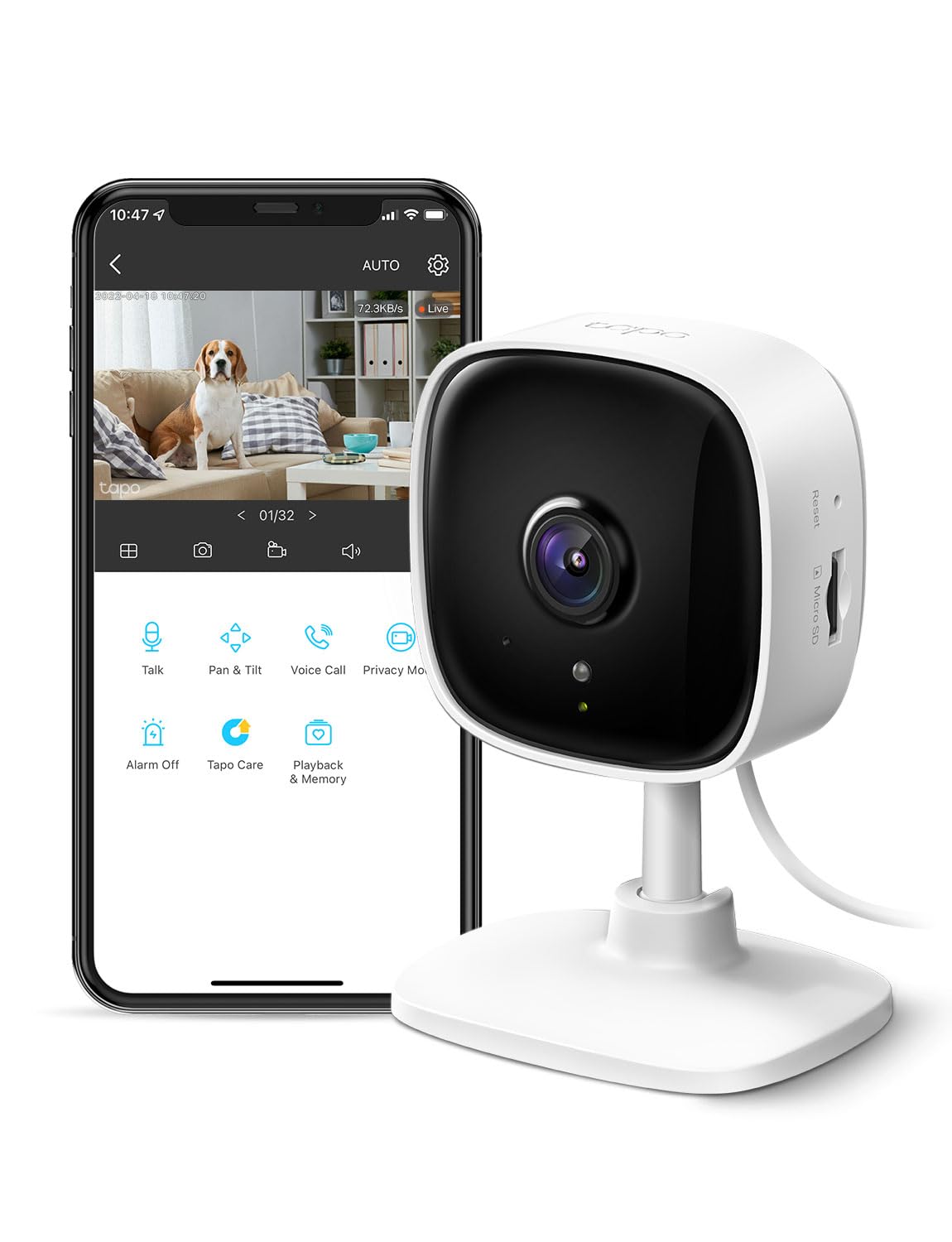
I recommend this camera for people who want a cheap, simple indoor camera with clear 1080p video and easy app controls.
Pros
- Clear video day and night
- Simple setup and app controls
- Two‑way audio and local SD storage
Cons
- Motion clips sometimes cut off
- Works only on 2.4 GHz Wi‑Fi
- Advanced features need subscription
I set this up in under five minutes and liked how fast the live view appeared. The 1080p image showed faces and small details in my living room, and night mode handled low light without washing out the scene.
Using the two‑way talk felt natural. I spoke to my dog and she reacted, and the built‑in siren can grab attention when needed. The app sends alerts when it detects motion or a person, which helped me avoid checking the feed constantly.
I used a microSD for local recording and found playback easy to access. Sometimes recorded clips ended a few seconds early, which was annoying but not a deal breaker for casual use. If you want motion tracking or longer cloud history, the Tapo Care plan costs extra.
Voice control with Alexa and Google Assistant worked when I asked to show the camera on my Echo Show. The camera stayed powered by corded supply, so placement needs a nearby outlet, and it runs only on 2.4 GHz Wi‑Fi which might limit some networks.
If you want to buy it, check the latest price and compatibility on Amazon: Tapo C100 (TP‑Link).
Ring Outdoor Cam Plus (Battery)
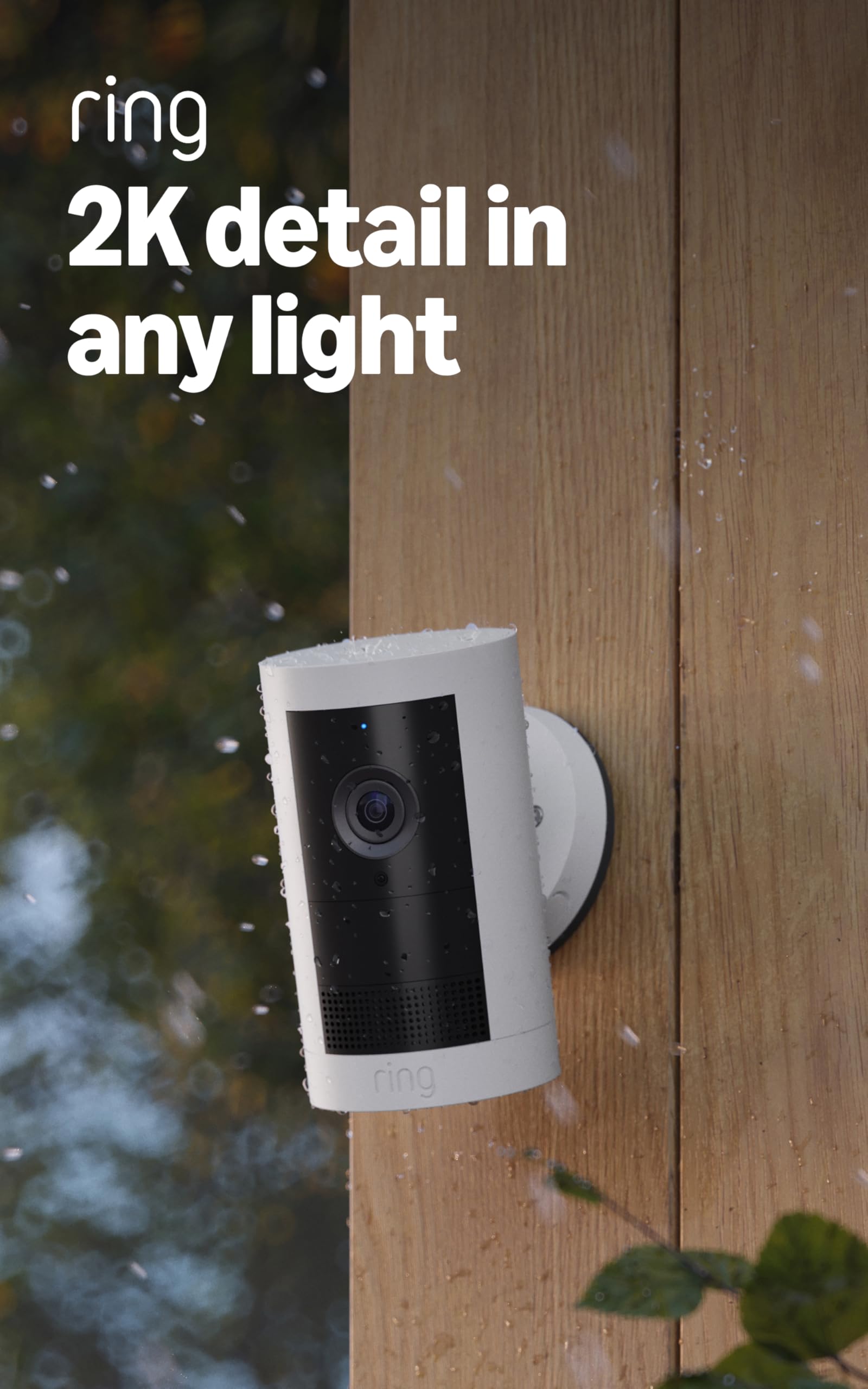
I recommend this camera if you want sharp 2K daytime video and flexible mounting without running power wires.
Pros
- Clear, detailed 2K video that shows more of my yard.
- Good color in low light when there’s nearby street lighting.
- Easy to move and mount where I need it.
Cons
- Initial battery charging can take a long time.
- Night color needs ambient light; pure dark still goes to black-and-white.
- Mounting from different angles felt awkward without better instructions.
I set this up on my porch and liked how quickly the app walked me through pairing. Live View works reliably and the two-way talk was clear when I tested it from my phone.
Watching the 2K stream felt noticeably sharper than my old 1080p camera. The wide field of view let me see more of the yard with a single unit, which cut down on blind spots.
Battery life held up well during my use, even with occasional Live Views. I did wait a long time for the first full charge and had to add a solar panel for a spot without power.
Motion alerts were useful and not too noisy once I tweaked the sensitivity. Alexa integration worked as expected when I asked my Echo Show to show the camera feed.
Blink Mini

I recommend this camera if you want a cheap, simple indoor camera that records clear 1080p video and is easy to set up.
Pros
- Very easy to install and start using.
- Clear daytime video and usable night vision.
- Works with Alexa for quick voice viewing.
Cons
- Motion clips may require a paid subscription to keep long term.
- App can be a bit glitchy at times.
- Needs constant power — not battery operated.
I set this up in a few minutes by plugging it in and following the app steps. Live view felt responsive on my phone, and the two-way audio worked well when I spoke to my pet.
Video looked sharp during the day and the 110° field of view caught most of the room. At night the infrared view showed enough detail to tell who was there, though it lacked the color and detail of daytime footage.
Motion alerts came fast, but I found saving long-term clips required either the free trial then a subscription or a separate Sync Module for local storage. The app sometimes froze or delayed clips, so expect occasional hiccups.
Overall, I liked the Blink Mini for quick indoor monitoring and Alexa use, but be ready for app limits and possible extra storage costs.
Orbitell Doorbell (M52)

I recommend this doorbell if you want a cheap, simple smart camera that detects people well and records to the cloud.
Pros
- Good person-only detection that cuts down on false alerts.
- Clear night vision and two-way audio that actually work.
- Encrypted cloud storage and pre-capture if you subscribe.
Cons
- Only works on 2.4GHz Wi‑Fi, so it won’t connect to 5GHz networks.
- Battery sometimes ships partially charged and setup can be fiddly.
- Two-way audio can lag a little during talks.
I set this up on my front door and liked how it ignored cars and animals. The motion alerts were useful and usually showed the right clip without dozens of useless pings.
The camera’s night view is sharp. I tested it in full dark and could still see faces clearly. Audio lets me tell delivery drivers where to drop a package, though replies sometimes felt a beat late.
Installation took some patience. The app guided me, but I had to double-check my router band and charge the unit overnight. Once running, the cloud pre-capture saved moments I would have missed.
Overall, this is a budget pick that performs like a much pricier unit for routine door monitoring. If your home uses 2.4GHz Wi‑Fi and you add the cloud plan, it gives steady, useful footage without a big cost.
Buying Guide
I look for image quality first. Resolution, sensor size, and low-light performance decide how clear footage will be. Better image quality helps with identification and evidence.
I check coverage and placement next. Decide between fixed or pan-tilt models, and note the field of view. Wider angle covers more area but can distort details.
I weigh smart features against privacy and cost. Motion detection, person alerts, and two-way audio improve usefulness. I prefer cameras that let me adjust sensitivity to cut false alerts.
I consider storage and connectivity. Choose between local storage and cloud plans. Encrypted connections and secure accounts reduce vulnerability.
I pay attention to power and installation. Battery, wired, or solar options affect where I can place the camera. Easy mounting and a clear app make setup faster.
I verify compatibility with my devices and ecosystem. Check if the camera works with your smart home hub or voice assistant. Interoperability makes control simpler.
I examine warranty and support options. A strong warranty and responsive support protect my purchase. Read terms for cloud subscription costs and data retention.
| Feature | Why it matters |
|---|---|
| Image Quality | Clear identification and night visibility |
| Smart Alerts | Reduces false alarms, improves usefulness |
| Storage | Cost and access to footage |
| Power Type | Placement flexibility |
| Security | Protects footage and accounts |
| Compatibility | Works with other devices in my home |
Best Smart Trash Cans for Every Home in 2026 - Ruijiayu
11 6 月, 2026 @ 7:55 下午
[…] reliable motion sensor most of the […]
Best Smart Desk Lamps for Productivity and Eye Comfort in 2026 - Ruijiayu
17 6 月, 2026 @ 5:22 下午
[…] This lamp is great if you want bright, colorful ambient lighting that works with music and smart home gear. […]
Wireless Battery Security Cameras: Top Reliable Options and Setup Tips - Ruijiayu
22 6 月, 2026 @ 12:38 上午
[…] my full list of the best wireless battery security cameras. I looked at battery life, video quality, and how easy they are to set up to help you find the […]
I Canceled My Ring Subscription: Here's What No-Fee Video Doorbells Actually Cost — Real Alternatives and True Total Price - Ruijiayu
29 6 月, 2026 @ 4:39 下午
[…] video doorbells store footage locally or use free plans. I wanted to see how those devices perform, what features […]
HelloBaby Signal Cam 6 Baby Monitor Review: Is It Secure? - Ruijiayu
6 7 月, 2026 @ 5:34 下午
[…] camera’s night view made details in a dark room visible. Two-way talk let me soothe the baby without going […]