I Canceled My Ring Subscription: Here’s What No-Fee Video Doorbells Actually Cost — Real Alternatives and True Total Price
Video doorbells let you see and talk to visitors, record motion, and check your front door from anywhere. Most models bundle cloud storage with monthly subscriptions.
No-fee video doorbells store footage locally or use free plans. I wanted to see how those devices perform, what features they keep without a subscription, and what trade-offs you might face.
If you’re looking for a no-fee video doorbell, pay attention to how it stores video—microSD, local hub, or encrypted doorbell storage. Some only record motion clips, while others support continuous recording.
Check what smart-home platforms it works with. Battery life, video quality, and reliable motion detection matter most, since they decide how well the doorbell protects your home without a monthly fee.
I tested a bunch of models and compared costs, ease of use, and real-world reliability. Here’s what I found about which no-fee options actually deliver.
Best No-Fee Video Doorbells
I canceled my Ring subscription and went searching for doorbells that don’t charge monthly fees. Below is my list of the best no-fee video doorbells that still give you solid video, motion alerts, and local storage.
eufy E340 Video Doorbell
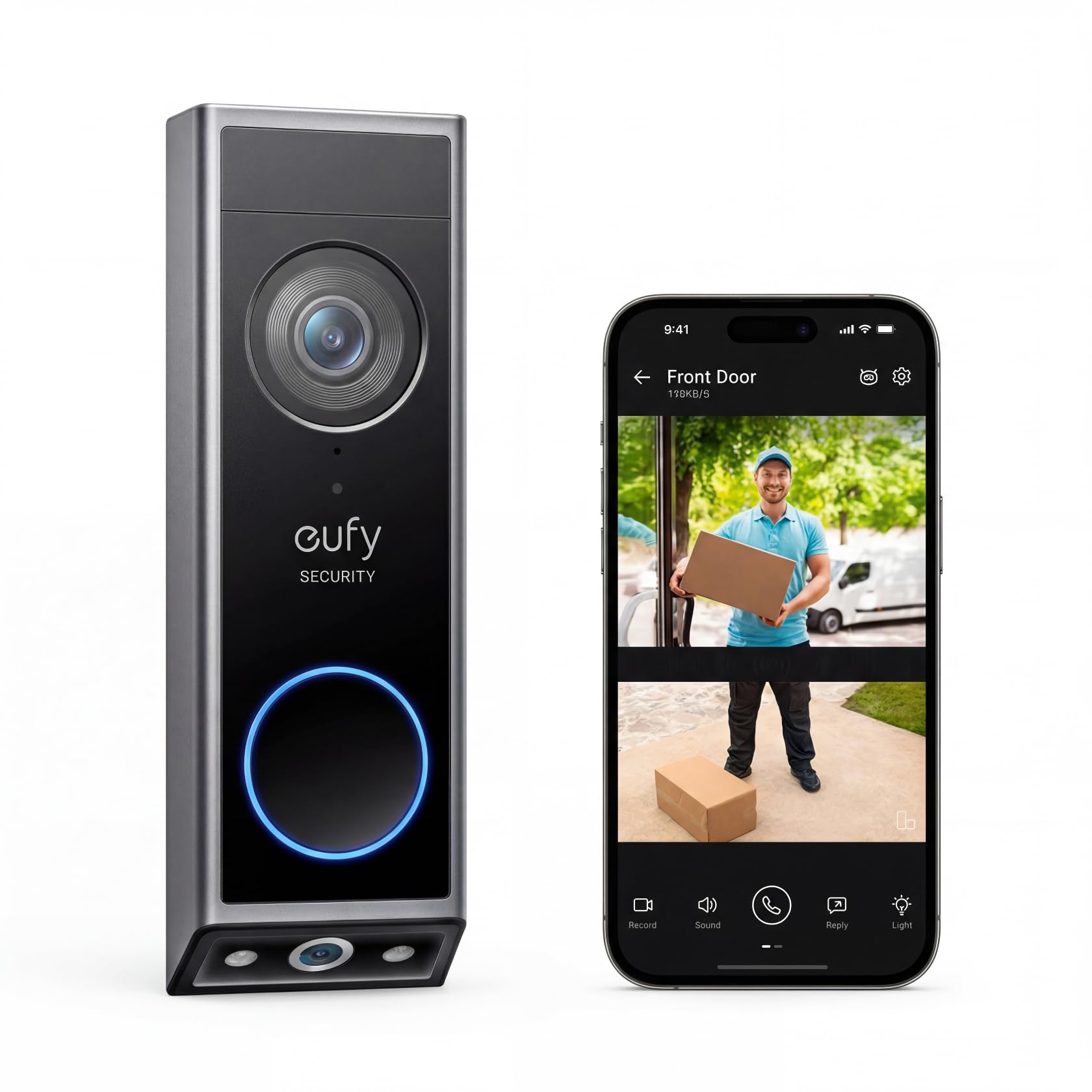
I’d recommend this if you want no monthly fees and clear video of visitors and packages.
Pros
- No subscription — local storage saves you money.
- Dual cameras give you both head-to-toe and package views.
- Works wireless or hardwired, so installation fits different homes.
Cons
- Battery life drops if you get a lot of events.
- Sometimes you get false package or motion alerts.
- App notifications can be a bit much until you tweak the settings.
I installed the E340 on my porch and liked how the two cameras covered both faces and packages. The 2K video showed more detail than my old doorbell, which made it easier to identify delivery drivers.
Mounting was pretty straightforward, and the 15° bracket fixed the angle quickly. I used it on battery first, then hooked it to wiring later—both worked fine and swapping was simple.
Night color mode gives usable images out to a few meters, but bright porch lights still help. Over a few weeks, it sent some extra package alerts, so I turned down the sensitivity to cut down on noise.
The lack of a subscription really is the best part. Local 8GB storage means I don’t pay monthly, and I still get clear clips. If you want a no-fee doorbell that actually records useful video, this one’s definitely worth trying.
Buying Guide
I focus on features that affect cost, privacy, and daily use.
A no-fee doorbell can still cost more up front if you need extra parts or installation. Sometimes, the hidden costs sneak up on you.
I look at video quality and field of view first.
Higher resolution and wider view help you see more, but they usually raise the price. They also use more storage space, which is worth keeping in mind.
Next, I check storage options. Local storage avoids monthly fees, but you might need an SD card or a hub.
Cloud-free setups can mean more setup work. There’s also the risk of losing footage if someone steals the device.
I consider power and wiring. Battery models are easier to install, but you’ll need to recharge or swap batteries now and then.
Hardwired models offer continuous power and sometimes extra features. They might need a pro for installation, though.
I weigh smart-home and app features. Two-way audio, motion zones, and person detection really boost usefulness.
It’s worth asking if these features work without a subscription or if they get limited.
I compare build quality and weather resistance. A solid metal or weather-rated plastic case just lasts longer outdoors.
Look for an IP rating and corrosion-resistant finishes. Sometimes, it’s the little details that matter most.
I evaluate privacy and local control. Check if the device encrypts local footage and has clear data policies.
See if you can manage who accesses your video. Not every device makes this easy.
Here’s a simple checklist I use when comparing models:
- Video resolution and field of view
- Power type (battery vs wired)
- Storage method (local vs cloud)
- Motion and detection features
- Build and weather rating
- Privacy controls and encryption
I recommend thinking about total cost over several years, not just the sticker price. Sometimes, the long-term expenses tell a very different story.